




Maybe the IEP team mentioned "visual supports" and you nodded along. Maybe your child came home with a laminated card on a Velcro strip and you weren't sure what it was for. Maybe a teacher said "we use visuals for transitions" and you started wondering whether you should be doing the same thing at home.
Visual supports are one of the most widely used tools in autism education, and for good reason. They show up in classrooms, therapy sessions, IEP documents, and morning routines. But most of what's written about them is aimed at teachers and clinicians, not the parent sitting at an IEP meeting trying to figure out what any of it means.
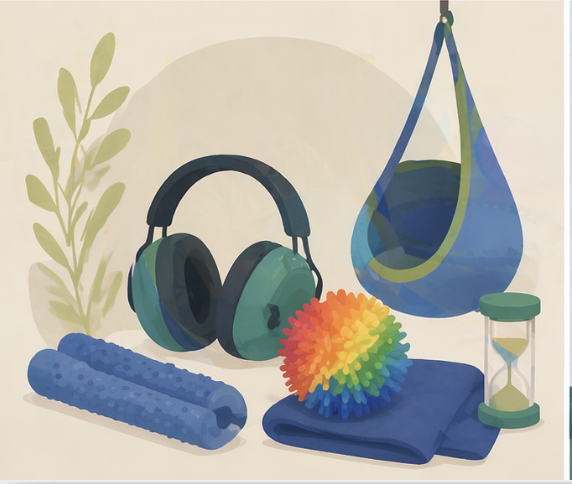
This guide covers what visual supports are, how they show up in your child's school day and IEP, the five types your child is most likely using, and how to carry them from school to home without starting from scratch. If you're already working on a broader daily structure, a sensory diet can sit alongside visual supports as part of the same routine framework.
Key Takeaways
- Visual supports are exactly what they sound like: They replace or supplement spoken instructions with pictures, symbols, or written words. For autistic students, who often process visual information more reliably than verbal, they reduce guesswork and lower the sensory load of daily transitions.
- They show up in three places at school: As IEP accommodations, as behavior support plan tools, and as classroom routines. Your child is probably using more of them than you realize.
- There are five main types: Visual schedules, first-then boards, choice boards, social stories, and picture cards or PECS. Each one serves a different purpose.
- The evidence base is strong: Visual supports are one of 28 evidence-based practices for autism identified by the National Clearinghouse on Autism Evidence and Practice (NCAEP), with research covering ages birth through 22.
- Home consistency matters, and it's simpler than it sounds: You don't need to build new systems. You ask the school what they use and mirror it. Ready to get support with this at home?Begin your intake.
What Are Visual Supports for Students With Autism?
A visual support is any tool that uses a picture, symbol, object, or written word to communicate information that would otherwise be delivered verbally. Instead of saying "first we do math, then we have recess," a visual schedule shows that sequence with images your child can look at, touch, and move.
Most autistic students process visual information more consistently than auditory input. A spoken instruction disappears the moment it's said. A visual stays in place until your child is ready to act on it. That difference matters enormously when you're asking a child to transition between activities, wait for something, or follow a multi-step sequence.
Visual supports aren't a workaround or a consolation prize for students who "can't follow verbal directions." They're a genuinely more accessible format for how many autistic brains process information. Framing them as a deficit accommodation misses the point. The language we use around autism shapes how children understand themselves, and visual supports work best when they're introduced as tools rather than crutches.
The NCAEP's 2020 evidence-based practices report designates visual supports as one of 28 EBPs for autism across ages birth through 22, drawing on 104 single-case design studies and 2 group design studies documented by the AFIRM module at UNC FPG.
Some days are hard. We can help.
When you're ready for expert support, Alpaca Health matches your family with a caring BCBA who can help with the moments that feel impossible, at home, in clinic, or online.
Get matched with a BCBA →
How Visual Supports Show Up in Your Child's IEP and Classroom
This is the section most parent guides skip entirely, and it's the one you actually need.
As an IEP Accommodation
In an IEP, visual supports most commonly appear under "Supplementary Aids and Services" as accommodations rather than modifications. An accommodation changes how your child accesses information; a modification changes what they're expected to learn. Visual supports are the former: the content is the same, the format is more accessible.
Typical IEP accommodation language might read: "Student will be provided with a visual daily schedule, first-then board during non-preferred tasks, and visual cues for transition warnings." If you don't see this language in your child's current IEP and your child uses visuals at school, it's worth asking at the next meeting. Understanding IEP goals for autism and how accommodations relate to them helps you ask the right questions.
As a Behavior Support Plan Element
If your child has a Behavior Intervention Plan (BIP), visual supports are often embedded directly into it. First-then boards are frequently used during non-preferred tasks because they make the sequence predictable and reduce the uncertainty that can trigger distress. Break cards give your child a visual way to request a pause before reaching an overwhelm point.
These tools aren't about controlling behavior. They're about giving your child information their nervous system needs to regulate. If transitions are consistently difficult, the signs of an autistic meltdown often trace back to that missing predictability, and a visual support addresses the root rather than the surface.
As Classroom Routines
Beyond the IEP, most inclusive classrooms for autistic students use visual schedules as a baseline. The posted daily schedule, the transition warning (a visual timer or a card), the "finished" box, the choice board at the reading corner: these are all visual supports, even when they're not labeled as such in any formal document.
As AAC
Augmentative and alternative communication (AAC) is a subset of visual supports used specifically for expressive communication. If your child uses a device, a communication board, or PECS (Picture Exchange Communication System) to make requests or express needs, that's visual support in its most direct form. AAC is typically introduced and managed by the school's speech-language pathologist, not the classroom teacher. The connection between ABA and speech therapy matters here because BCBA and SLP roles often overlap in this area.
Who Creates the Visuals at School
This surprises a lot of parents: there isn't one universal answer. Visual schedules and classroom systems are usually built by the special education teacher or paraprofessional. BIP-embedded tools like first-then boards are typically designed by the BCBA on the team.
AAC systems are the SLP's domain.In-school ABA therapy often includes direct work on visual support use as part of the behavior plan. Knowing who owns what helps you know who to ask when something isn't working.
The 5 Visual Supports Your Child Is Most Likely Using at School
Visual Schedules
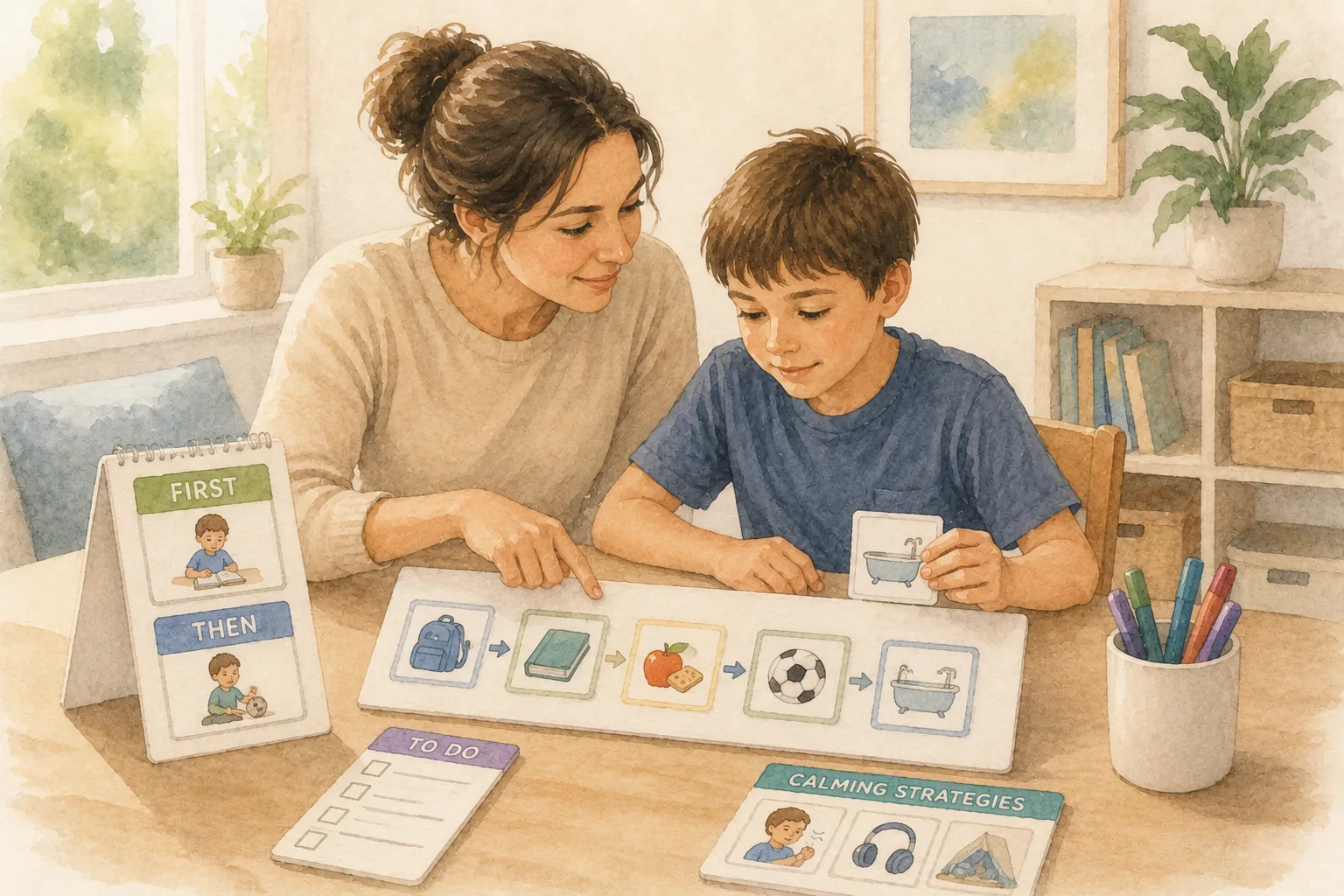
A visual schedule is a sequenced display of activities, using photos, symbols, or words, that shows your child what's happening and in what order. At school, this might be a strip of Velcro-backed picture cards running left to right across a board, or a printed daily schedule on a student's desk.
They work because predictability lowers anxiety. When your child can see what comes next, they don't have to hold that uncertainty in their head while also trying to do the current task. The AFIRM brief documents efficacy for visual schedules across all age bands from birth through 22.
At home, the most practical version is a morning or evening sequence: wake up, get dressed, eat breakfast, brush teeth, leave. You don't need to build it from scratch.Free visual schedule templates are a good starting point, and the school can often tell you what icon set they use so your cards match.
First-Then Boards
A first-then board is the simplest visual support in regular use: two slots showing "first [this]" and "then [that]." First homework, then iPad. First shoes, then park.
In school, first-then boards appear most often during non-preferred tasks. They're not a bribe. They're a processing tool that answers the question every anxious brain asks: what do I have to get through before I can have what I actually want?
At home, a first-then board is worth having on the fridge, the bathroom wall, and anywhere else a daily transition happens. If your child regularly reaches a distress point during specific routines, the board goes there first.
Choice Boards
A choice board gives your child a visual menu of options, usually 2 to 4, for a break activity, a reward, or a free-choice period. At school, it might appear at the end of a work block: "Pick one." The purpose is to give genuine agency while keeping the decision-making load manageable.
At home, choice boards work well for after-school decompression (iPad or trampoline or drawing), meals with limited options, or any situation where "what do you want?" produces shutdown rather than an answer.
Social Stories
A social story is a short, descriptive narrative, usually written or shown in pictures, that walks through a specific situation from the child's perspective. "When I get to school, I put my backpack in my cubby. Then I find my name tag and sit at my table." They anticipate events that might be confusing or anxiety-producing before those events happen.
School staff use them most often before changes in routine: a substitute teacher, a fire drill, a school trip, a new classroom. Social stories for autism cover the format in detail, including how to write one at home for situations the school isn't preparing for, like a haircut or a doctor's visit.
Picture Cards and PECS
Picture Exchange Communication System (PECS) was developed by Bondy and Frost in 1985 through Pyramid Educational Consultants. It's a structured six-phase protocol that teaches children to exchange a picture card for a desired item or activity, starting with physical exchange and building toward spontaneous communication. PECS is typically introduced and managed by an SLP.
At home, the relevant piece is the picture card exchange itself: keeping a small binder-ring set of cards your child can use to request things they want. Coordinate with the school SLP on which icons to use so the vocabulary matches. Introducing different images for the same concept at home and school adds unnecessary confusion.
Visual Supports by Age: Pre-K Through High School
Pre-K (Ages 3-5)
At this age, real photographs beat line drawings or generic icons. A photo of your child's actual classroom, actual cubby, and actual snack time is more meaningful than a stock image of a generic classroom. Keep schedules short, three to four steps maximum, and use objects alongside photos where possible. A physical object routine, like holding the toothbrush before walking to the sink, is a visual support in its most concrete form.
Elementary School (Ages 5-11)
This is the age range where the full toolkit is most actively in use. Six to eight step schedules are realistic. Choice boards with four to six options work well. Social stories are most effective when written specifically rather than generically, "On Tuesdays we have art" rather than "sometimes schedules change." First-then boards during homework and transitions prevent a significant portion of the daily friction parents describe at this age.
Middle School (Ages 11-14)
By middle school, many autistic students are ready for written words alongside or instead of icons. A written schedule in a student's planner, a typed first-then note on their phone, a social story written in paragraph form rather than picture format. The visual support doesn't go away; it grows up. AAC apps that blend symbol and text are common at this level for students who use device-based communication.
High School (Ages 14-18)
At the high school level, visual supports for transition planning take on new importance. A student's calendar app, a checklist for multi-step tasks, a visual breakdown of a job application process: these are all direct descendants of the first-then board on the kindergarten classroom wall. Some students move entirely to text-based systems.
Others continue using symbols alongside text. The goal has always been to find the format that works for that specific brain, and that goal doesn't change with age. Visual supports don't stop. They evolve.
Extending Visual Supports From School to Home
The most common parent mistake in this area isn't using the wrong tools. It's building parallel but inconsistent systems. If your child uses a symbol-based schedule at school and a hand-drawn one at home with different icons, the cognitive load of switching between the two systems is real.
Ask the School for the Icon Set
Most school programs use Boardmaker, SymbolStix, or LessonPix. Ask the BCBA or special education teacher which system your child's classroom uses, and ask for a copy of the specific icons your child sees. Many schools will print a home set without being asked twice. Free visual schedule templates are a solid fallback if the school uses a proprietary system and can't share files.
Mirror the Classroom Format
If cards are arranged left to right at school, do left to right at home. If your child peels the card off and hands it to the teacher when they finish the activity, build the same completion step into your home routine. Consistency across environments reduces the transition friction that makes mornings and evenings harder than they need to be.
Use the BIP's First-Then Phrasing at Home
If your child's BIP uses first-then language in specific ways ("First quiet time, then outside"), use the same words at home. The phrasing becomes a regulatory cue. Changing the wording changes the cue.
Coordinate With the SLP if AAC Is in Play
If your child uses a device or communication board at school, the SLP needs to be part of the home-extension conversation. Vocabulary banks, page sets, and access methods vary between systems and between users. Don't try to replicate AAC at home without guidance from the SLP. The relationship between ABA and speech therapy at school also shapes what home coordination looks like, and functional communication training through an outside BCBA can bridge the gap when school-based support isn't enough.
Bring Conflicts to the Next IEP Meeting
If the home and school systems keep drifting apart despite your efforts, make it an agenda item. "Home-school visual support consistency" is a legitimate IEP discussion topic, and the team can write consistency expectations into the accommodation language.
DIY vs. Purchased Visual Supports
For most families, DIY is enough and often better because the images can be real photos of real things in your child's actual environment.
DIY under $20: A color printer, a laminator (around $25-30 one-time), Velcro dots, and a binder ring. Print icons from the school's system or from free sources, laminate them, add Velcro, done. The total ongoing cost per card is under a dollar.
When purchased AAC makes sense: If your child is minimally speaking and is likely to need device-based communication for five or more years, a dedicated AAC device or app (Proloquo2Go, TouchChat) becomes worth evaluating. These are not starter tools.
They require SLP training to implement correctly, and they're most appropriate when the school has already identified AAC as a need and started the evaluation process. Ask the school SLP before purchasing independently. Buying a device without a programming plan often means it collects dust.
Free Templates and Where to Get Them
Alpaca's free visual schedule templates are built for home use and are a practical starting point for most families.
Other reliable sources, all free:
- Teachers Pay Teachers (free section): Search "visual schedule autism free" and filter for free resources. Huge variety of icon styles and formats.
- Autism Little Learners: Straightforward symbol sets for early learners, particularly good for Pre-K through early elementary.
- A Day in Our Shoes (Lisa Lightner): IEP-focused parent site with free printable visual supports alongside practical IEP guidance.
- Autism Speaks Visual Supports Toolkit: Downloadable PDF toolkit with printable cards for common routines.
One tip that makes any template more effective: wherever possible, replace the generic icons with real photos of your child's actual items and actual spaces. A photo of your kitchen table is more meaningful than a cartoon breakfast scene.
If you've downloaded templates and aren't sure how to build them into a routine your child will actually use, that's exactly the kind of home-based work a BCBA can help with. Start your intake to get matched with a provider who works in your home.
Turn these ideas into a plan built for your child.
Activities at home are a great start, and a Board Certified Behavior Analyst can shape them into a program around your child's real goals. Alpaca Health matches you with one, often within days.
Get matched with a BCBA →
5 Common Mistakes Parents Make at Home
- Inconsistency between home and school icons: Using different images for the same concept in different environments forces your child to translate between systems constantly. Get the school's icon set and use it.
- Schedules that are too long: A 12-step morning schedule is not more helpful than a 5-step one. Start with the minimum number of steps needed to get through the routine, and only add steps when the shorter version is working reliably.
- No "finished" signal: At school, completed activities are usually moved, flipped, or handed to someone. Without a physical completion step at home, the schedule becomes decoration rather than a functional tool. Build the completion move in from the start.
- Not involving your child in the schedule: A visual schedule your child helps set up each morning has more buy-in than one you've arranged for them. Even young children can place the cards with guidance. That participation is part of what makes the schedule theirs. This also connects to the broader practice of building a sensory diet at home as something the child has a hand in shaping.
- Quitting at week one: Visual supports take two to four weeks of consistent use before a child begins to initiate them independently. The first week often feels like you're doing all the work and nothing is sticking. That's normal. The schedule is still reducing cognitive load even if your child isn't "using" it the way you expected.
When to Fade Visuals, and When Not To
Fading is the process of gradually reducing the intrusiveness of a support as the skill becomes independent. For visual supports, fading usually means moving from real photos to line drawings, then to written words, then to a compact planner format, then to a phone app.
What fading does not mean is removing the support entirely. Most autistic students who use visual supports continue to benefit from some form of them into adulthood, just in formats that match their age and environment.
A written to-do list is a visual support. A phone calendar is a visual support. The goal was never to get to "no support." The goal is the most age-appropriate and least intrusive format that still works.
Fade the format. Keep the function.
When to Bring in Additional Professional Support
Visual supports are something most parents can implement at home with guidance from the school team. But there are situations where outside professional support is the right next step.
Consider bringing in a BCBA or seeking additional evaluation if:
- Your child has been using visuals for four to six weeks with no sign of engagement or follow-through.
- Your child is three or older and has few or no spoken words.
- Transitions are escalating rather than improving despite consistent visual support use.
- Your child hasn't had a formal communication or behavior evaluation.
An outside BCBA can conduct a functional assessment, identify what's blocking follow-through, and build a support plan that coordinates with the school system rather than competing with it.ABA speech therapy through Alpaca is one option for families in this position. If you're still figuring out the broader picture after an autism diagnosis, that article is a useful place to orient before deciding on next steps. If you're seeing early signs that feel familiar from a younger sibling, early signs of autism in toddlers covers what to watch for and when to act.
How Alpaca Health Helps
If you're trying to build a home visual system that actually matches what your child is doing at school, the fastest path is usually a BCBA who can sit in your space, look at your routines, and design something that fits. Alpaca matches families with independent, local BCBAs in under 24 hours, with no waitlists and no corporate center.
Providers work where your child is most comfortable: at home, in school, or via telehealth. For families working on communication and visual supports together, ABA speech therapy through Alpaca addresses both. Begin your intake to get matched today.
You don't have to figure this out alone.
Alpaca Health matches your family with a vetted, in-network BCBA, often within days and with no waitlist. We handle the insurance paperwork so you can focus on your child.
Get matched with a BCBA →
Frequently Asked Questions About Visual Supports for Students with Autism
What are visual supports for students with autism?
Visual supports are tools that use images, symbols, objects, or written words to communicate information that would otherwise be spoken. They give autistic students a stable, visual format for instructions, schedules, and transitions that doesn't disappear the moment it's delivered. The term covers everything from a posted classroom schedule to a communication device.
What are some examples of visual supports in the classroom?
The most common examples are visual daily schedules (a sequence of activities shown in pictures or words), first-then boards (showing what comes before a preferred activity), choice boards (a visual menu of options during free time or breaks), social stories (short narratives that explain a routine or event), and picture communication cards used to make requests. Most autistic students encounter several of these in a single school day.
What are visual supports in an IEP?
In an IEP, visual supports typically appear as accommodations under "Supplementary Aids and Services." Common language includes things like visual daily schedule, transition warning cue, first-then board during non-preferred tasks, and visual break card. They can also appear as tools within a Behavior Intervention Plan, or as part of an SLP-managed AAC goal. See IEP goals for autism for a broader breakdown of how IEP components fit together.
Are visual supports an evidence-based practice?
Yes. The National Clearinghouse on Autism Evidence and Practice (NCAEP) designates visual supports as one of 28 evidence-based practices for autism, covering ages birth through 22. The AFIRM module at UNC FPG documents the evidence base across 104 single-case design studies and 2 group design studies. A 2023 study found significant quality of life improvements with Cohen's d of 0.573, with rates of students meeting independence benchmarks rising from 43% to 100% post-intervention.
How do I make sure my child uses the same visuals at home and at school?
Ask the school which icon system they use (Boardmaker, SymbolStix, and LessonPix are the most common), request a copy of the specific icons your child sees, and use the same images at home. Match the physical format as well: if cards are arranged left to right at school, do the same at home. If your child physically moves a card when they complete an activity, build that step into the home routine too. Consistency across environments is what makes the system functional rather than decorative.
Who creates the visual supports for my child at school?
It depends on the type. Classroom schedules and basic visual routines are usually built by the special education teacher or paraprofessional.
First-then boards and BIP-embedded tools are typically designed by the BCBA. AAC systems are developed and managed by the SLP. In schools with in-school ABA therapy, the BCBA and classroom team often collaborate on both the design and the implementation plan.
Do visual supports prevent speech from developing?
No. The research evidence does not support that concern. The Rutherford et al.
2020 found no evidence that visual supports inhibit verbal language development. PECS specifically has a body of evidence showing it supports, rather than replaces, spoken communication. Visual supports give children a reliable way to communicate while spoken language continues to develop.
What if my child ignores the visuals entirely?
That usually means one of three things: the icons are too abstract for your child's current processing level (try real photos), the schedule is too long (cut it to the minimum steps), or the system hasn't been in place long enough to become familiar (two to four weeks is typical for initial engagement). If you've addressed all three and there's still no engagement, that's the signal to bring in a professional. Start your intake to get matched with a BCBA who can assess what's getting in the way.
Some days are hard. We can help.
When you're ready for expert support, Alpaca Health matches your family with a caring BCBA who can help with the moments that feel impossible, at home, in clinic, or online.
Get matched with a BCBA →RELATED ARTICLES